Membership Tiers

See what exclusive benefits each rank includes.

Server Shop Subscriptions

Membership pricing, tier benefits, and exclusive features across membership tiers.

Membership Tier Comparison

Features, limits, and benefits compared across all membership tiers.

Membership Tiers & Pricing

Membership pricing, tier benefits, and rank access across membership tiers.

Membership RoleSee how each membership rank's role color appears throughout the Discord community and website.@Member@Active Voter@Server Booster@Premium@Distinguished
Membership Role BadgesView the official Discord role icon displayed beside every member in each rank across the community.Member role badgeActive Voter role badgeServer Booster role badgePremium role badgeDistinguished role badge
Membership PriceCompare what each membership rank costs and the eligibility rules for earning it in the community.FreeEarned FreeDiscord Nitro Boost$3.99 USD/mo$9.99 USD/mo
Weekly Voting RequirementEarn the @Active Voter role by casting 15 votes and submitting 15 proposals every week on Discord.15 Votes + 15 Proposals
Animated Holographic RoleSee which rank gets an animated holographic role color featuring special visual effects on Discord.

@Server Booster—a limited version of @Premium—is earned through a Discord Nitro Boost; depending on your region and billing plan, purchasing @Premium directly may be more economical.

Advertisements

How often ads appear in marketplace threads and bot interactions across membership tiers.

Remove Website AdsBrowse the JBTN website without any sponsored promotions or ads on all of its pages while signed in.
Discord Ad FrequencyCompare how often ads can show up in your marketplace threads and bot interactions for each rank.Most FrequentSlightly LessReduced FurtherNoneNone
Marketplace Thread Ad ChanceEach message in a thread has this chance for an ad; a hit starts the tier's ad cooldown in that thread.25% per message15% per message10% per messageNoneNone
Thread Ad CooldownSee how many messages stay ad-free in a thread after an ad shows, before the next chance roll starts.5 messages7 messages10 messagesNoneNone
Message Ad CountingCheck how much each message counts toward the next ad in chat channels and other users' threads.Counts fullyCounts fullyCounts as halfNever countsNever counts
Bot Interaction Ad FrequencyCompare the bot interaction ad cadence by rank, which is tracked separately from thread messages.Every 4 interactionsEvery 6 interactionsEvery 8 interactionsNoneNone

Discord Trading Marketplace

Weekly quotas, automation tools, and other features for the #『💎』trading-marketplace forum.

Weekly Message Quota

Weekly marketplace quota limits compared across all membership tiers.

@Member2,000quota
@Active Voter4,000quota
@Server Booster7,500quota
@Premium15,000quota
@DistinguishedUnlimited

Quota & Cost Rules

Thread and message costs, weekly limits, and quota rules across membership tiers.

Weekly Message LimitCompare how many messages each rank can send every week in #『💎』trading-marketplace.2,0004,0007,50015,000Unlimited
Hourly Pacing (168h Week)²Shows the estimated hourly pace when your weekly quota is spread evenly over 168 hours of the week.~11.9 / hr~23.8 / hr~44.6 / hr~89.3 / hrUnlimited³
Marketplace Message CostEvery marketplace message you send uses a single message from your weekly quota at every rank.1 message1 message1 message1 message1 message
New Forum Thread CostPosting a new marketplace forum thread costs 10 messages out of your weekly quota at every rank.10 messages10 messages10 messages10 messages10 messages
Spam Channel Message Cost#『📨』trading-offers-spam messages each count as only 0.25 of a weekly marketplace message.0.25× per message0.25× per message0.25× per message0.25× per message0.25× per message
Recommended Activity TypeCompare the recommended way to use your weekly marketplace quota for each rank in the server.ManualManualHybridHybridMacro Studio
Restricted Role ExemptionSee which ranks are exempt from the Restricted role once their full weekly quota is used each week.

@Distinguished lets you transfer limits to a Worker account. Need more message quota on your main account afterward? Become a @Server Booster to add 7,500 messages/week to your main account.

Trading Marketplace Tools

Marketplace automation tools and advanced features available by membership tier.

Manage Message CommandDelete other users' messages in the marketplace forum threads you own to keep them on topic.
Togglable Thread GuardRestrict posts and reactions from others in your threads, and block one member wherever you post.
Macro Worker BotsLink one worker account to your Distinguished license to handle all your marketplace posting for you.
Macro Studio DownloadInstall the Macro Studio userscript so you can automate marketplace posting on the Discord website.
Worker License TransferTransfer unlimited marketplace limits to another Worker account under your Distinguished license.

Website Trading Offers

Enhanced visibility for trading offers on both the website marketplace and Discord channel.

Website Offer CardSee the trading offer card design used in the website marketplace at each membership tier on JBTN.
Discord Embed ColorSee the Discord embed sidebar color used for your marketplace offers at each membership rank.
Website Offer PinPin your trading offer above other website marketplace listings for greater visibility to other traders.
Pin DurationCheck how long your latest offer stays on top of other marketplace listings while your rank is active.30 days90 days

Discord Community Perks

Exclusive channels and community benefits across membership tiers.

Exclusive Discord Channels

Channel-by-channel breakdown of access granted at each tier.

Exclusive Chatroom#『🌟』exclusive-chatroom — Hang out with other members in a private, members-only lounge.
Instant Trade Scanner#『🔎』instant-trade-scanner — Scan every item in a trade for values, with a weekly quota.30 / week75 / week
Item Search Assistant『🌐』item-search-assistant — Look up item details and game history within your rank’s quota.1 / week1 / week5 / week10 / day15 / day
Priority Assistance#『🎟️』priority-assistance — Open a private support ticket and get help from the server owner.
Website Archive Portal『💾』website-archive-portal — Browse archived content of the JBTN website from 2023 to 2025.
Grammar Enhancement#『✍️』grammar-enhancement — Improve the grammar and tone of your messages before you post.

@Premium and @Distinguished users can receive direct support from the owner in #『🎟️』priority-assistance; for all other support inquiries, contact us by email at [email protected].

Discord Server Perks

Perk-by-perk breakdown of server features unlocked at each tier.

Media Upload PermissionsShare images, videos, GIFs, and link embeds in every channel of the Discord community server.
Slowmode BypassSend your messages right away without waiting for the channel’s slowmode cooldown to run out.
Nickname PermissionsChange your nickname yourself on your profile within the Discord community server without Nitro.
Additional Discord PermissionsUnlock stickers, voice messages, message forwarding, and other perks across the Discord server.
AutoMod LeniencySee which ranks get double the AutoMod strike limit, going from 5 warnings to 10 before restrictions.

Website Features

Website tools included with a paid membership rank once you log in.

Cloud Inventory SavesSave up to three Stock Calculator inventories and load them on any device, on our website or Discord.3 slots3 slots

AI FeaturesBonus

Ask AI chat and AI text tools for Distinguished, sharing 25 credits that each return 24 hours after use.

AI Credit PoolOne credit pool covers the AI text tools and Ask AI chat, and each credit returns 24 hours after use.25 credits / 24 hours
Regular Request CostEvery regular AI request uses one credit from your pool, allowing 25 standard requests per 24 hours.1 credit
Turbo Mode Request CostTurbo Mode responds faster for three credits per request, so you can make 8 Turbo requests a day.3 credits
AI Assistant Web SearchGet answers from the AI assistant using reasoning and a live web search for the latest information.

Discord Commands

Slash commands each membership rank can use in the Discord server, excluding staff commands.

/marketplaceactivityReview your weekly marketplace activity and see how much of your weekly message quota remains.
/activevoterCheck how your weekly votes and proposals progress toward Active Voter requirements for the week.
/infractionsView your account’s full history of warnings and strikes issued in the Discord community server so far.
/threadguardToggle restrictions on other users' posts and reactions in your own marketplace threads at any time.
/managemessageDelete other users' messages and reactions in a marketplace forum thread you have created yourself.
/transferlicenseMove your Distinguished license over to a Worker account so it can automate your marketplace posts.

Rank-Exclusive Commands

Thread tools unlocked by a paid membership rank.

3 commands

/managemessage

Manage messages and reactions.

Unlocked by @Premium and @Distinguished.

  1. Choose an action to apply in your thread: delete a message, remove one reaction, or clear all reactions.
  2. Provide the message ID; removing one reaction also requires the emoji and the reacting user's Discord ID.
  3. Review the action summary and its details, then confirm before the change is applied to your thread.

/threadguard

Manage thread posting and reactions.

Unlocked by @Premium and @Distinguished.

  1. Select Enable, Disable, or Status to control Thread Guard for the marketplace forum thread you created.
  2. Choose whether posting, reactions, or both are restricted for others inside your marketplace thread.
  3. Blacklist Everywhere blocks a member in every thread you author and also removes all their reactions there.

/transferlicense

Transfer a Distinguished license.

Unlocked only by @Distinguished.

  1. Select the recipient worker account, then provide the Trading Marketplace thread's link or ID to transfer it.
  2. Optional Yes selections can also restrict posting in the thread and remove all other users' reactions from it.
  3. The recipient becomes the assigned worker for that marketplace thread and can run Macro Studio from it.

Commands for Every Member

Check your own marketplace activity, voting progress, and record.

3 commands

/marketplaceactivity

Review a user's marketplace activity.

Available to every server member.

  1. Review your weekly marketplace usage, including how many messages you have sent and still have left.
  2. Leave the User field blank to view your own account, or select any other member to look up their activity.
  3. Review the response to see the selected account's weekly marketplace activity, quota usage, and status.

/activevoter

Review your weekly voting activity.

Available to every server member.

  1. Vote in 15 polls and propose 15 value changes each week to meet both of the Active Voter requirements.
  2. Your 7-day voting week starts with your first vote or proposal, so plan for both targets within that window.
  3. Reach both weekly targets to earn the Active Voter role, then keep reaching them each week to keep it.

/infractions

View a user's warnings and strikes.

Available to every server member.

  1. Leave the User field blank to view your own warning and strike history from the Discord community server.
  2. Select another member in the User field to view that member's full warning and strike record in the server.
  3. Use the controls in the returned response to page through the member's full warning and strike history.

Every command and the rank it needs is also listed in #『📚』command-information on Discord.

¹ Premium and Distinguished are bought in Discord's Server Shop on web, desktop, or iOS, but not the Android app. App Store purchases on iOS cost about 30% more, so use web or desktop for the standard price.

² Hourly pacing spreads each weekly quota evenly over 168 hours. It's only an estimate, not an hourly limit: you can send your messages at any pace you like, as long as the week's total stays within your weekly quota.

³ Distinguished has no weekly quota, so there's no hourly pace to estimate. Its unlimited marketplace activity includes automated Macro Studio posts, along with all posts from a Worker account under your license.

All membership features are a privilege, not a right, and abuse may result in their removal. Purchases are final under our Terms of Service, which you accept when you purchase or redeem any membership tier.

Why We Have Membership Tiers

Membership tiers exist to keep Jailbreak Trading Network running. Every purchase goes directly back into the community, covering hosting for our website, servers, and Discord bots, the ongoing maintenance that keeps everything fast, secure, and online around the clock, and the development of new tools and features. The Archive Portal itself is a Distinguished perk, but anyone can still view its preview images to see just how far the website has come since its very first public build in April 2023, one major revision at a time, all the way to today.

At a Glance

The Community Your Membership Supports

Founded
2022
Items Tracked
—
All-Time Changes
—
Online Members
—
Discord Members
—

Every Purchase

Where Your Membership Goes

  1. Servers and Hosting

    Keeps the website and item database online around the clock, so every page loads quickly for visitors worldwide.

    Always Online
  2. Discord Bots

    Powers the bots behind the trading marketplace and every companion tool in the server, around the clock.

    Runs 24/7
  3. New Tools and Features

    Funds new tools and features for the website and Discord server, developed as the community continues to grow.

    Always Improving
  4. Free for Everyone

    Keeps item values, calculators, and the marketplace free for every visitor, with no paywalls on any of the essentials.

    No Paywalls

Free for Everyone

Our Most Popular Tools Stay Free

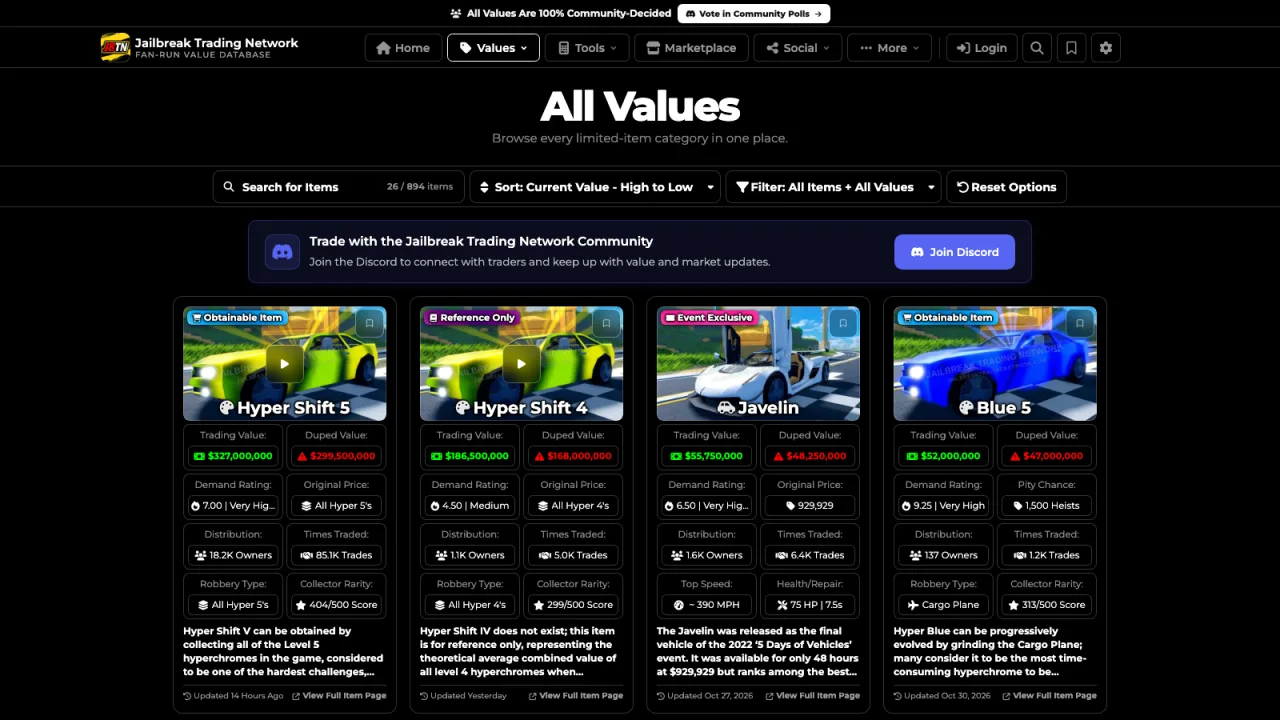
Memberships add extras on top, but the tools most traders rely on every day stay completely free for every visitor, with or without a membership. These are some of the most popular pages on the website, and your support helps cover the hosting, maintenance, and development that keep them fast, accurate, and available around the clock. Whether you are checking a value, pricing a trade, looking into a duped item, or browsing offers from other traders, everything below is open to the whole Jailbreak Trading community.

Archive Portal Previews

How Far the Website Has Come

Distinguished Feature

From the first public build in 2023 to today, every revision was made possible by community support. Tap any preview to open it full size, then scroll sideways or use the arrows to follow the timeline. Each build captures a different era of the website, from its earliest value lists and calculators to the full Jailbreak Trading Network website you use today.

  1. First Public Build Preview

    First Public Build

    April 15th, 2023

  2. Second Major Revision Preview

    Second Major Revision

    July 15th, 2023

  3. Third Major Revision Preview

    Third Major Revision

    November 20th, 2023

  4. Fourth Major Revision Preview

    Fourth Major Revision

    February 15th, 2024

  5. April Fools' Day Event Preview

    April Fools' Day Event

    April 1st, 2024

  6. Fifth Major Revision Preview

    Fifth Major Revision

    February 18th, 2025

  7. Revamp Ultra Test Preview

    Revamp Ultra Test

    February 25th, 2025

  8. Sixth Major Revision Preview

    Sixth Major Revision

    March 4th, 2025

  9. Seventh Major Revision Preview

    Seventh Major Revision

    March 20th, 2025

  10. Preview of the current Jailbreak Trading Network website

    The Website Today

    Improving with every update

Thank You for Supporting JBTN Development

Every membership, big or small, helps pay for the hosting, maintenance, and development behind the whole network. We truly could not do any of this without your generous support.